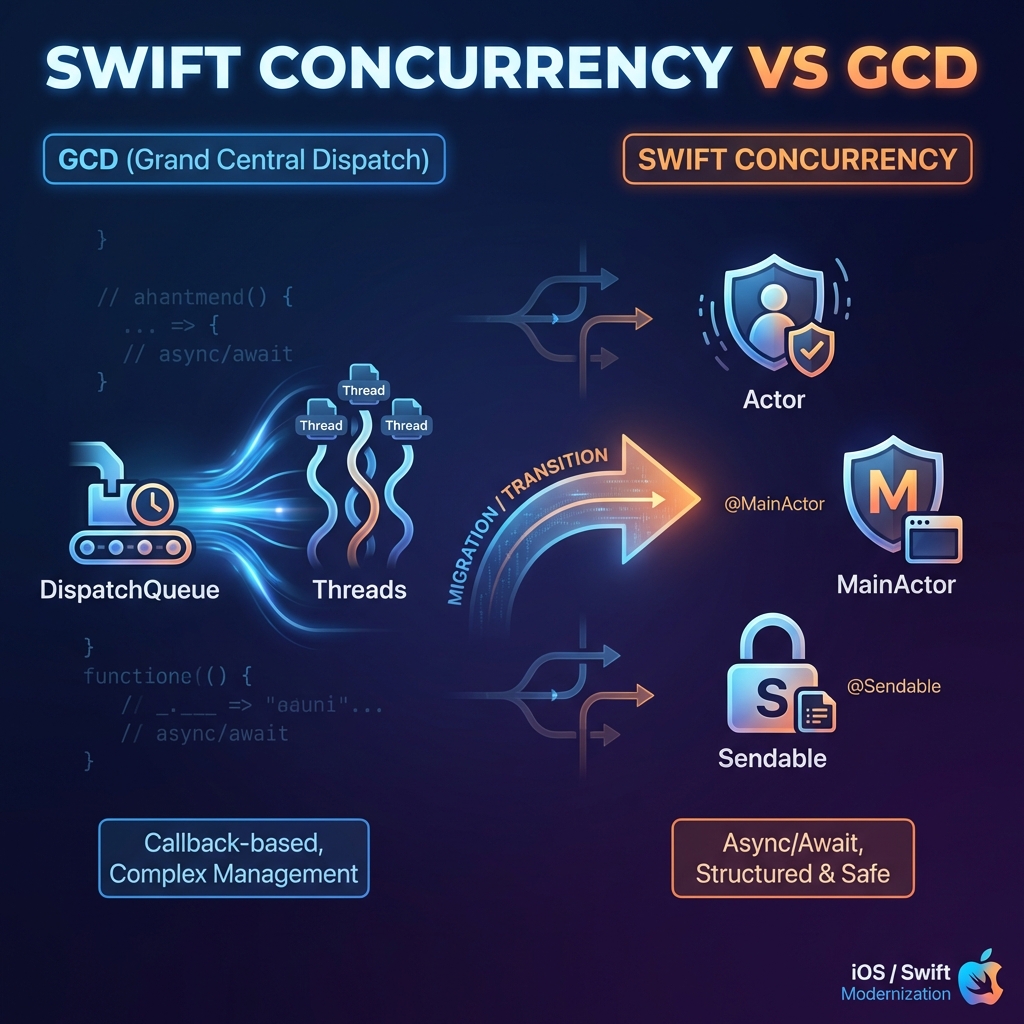
Swift Concurrency vs GCD - Migrating from Grand Central Dispatch
Modern iOS development has evolved significantly with the introduction of Swift Concurrency in Swift 5.5. This article provides a deep dive into comparing Actor, MainActor, Sendable with traditional Grand Central Dispatch (GCD), along with a practical migration guide.
📊 Quick Overview
| Feature | GCD | Swift Concurrency |
|---|---|---|
| Introduced | iOS 4 (2010) | Swift 5.5 (2021) |
| Paradigm | Callback-based | async/await |
| Thread Safety | Manual (DispatchQueue) | Automatic (Actor) |
| Main Thread | DispatchQueue.main | @MainActor |
| Data Safety | Manual synchronization | Sendable protocol |
| Error Handling | Completion handlers | try/catch |
| Debugging | Complex | Structured (async stack traces) |
🔄 Grand Central Dispatch (GCD)
GCD has been the backbone of iOS concurrency since 2010. It uses dispatch queues to manage work execution.
How GCD Works
┌─────────────────────────────────────────────────────┐
│                    GCD Architecture                  │
├─────────────────────────────────────────────────────┤
│                                                      │
│  ┌──────────────┐    ┌──────────────┐               │
│  │ Main Queue   │    │ Global Queue │               │
│  │  (Serial)    │    │ (Concurrent) │               │
│  └──────┬───────┘    └──────┬───────┘               │
│         │                   │                        │
│         ▼                   ▼                        │
│  ┌──────────────┐    ┌──────────────┐               │
│  │ Main Thread  │    │ Thread Pool  │               │
│  │    (UI)      │    │  (Workers)   │               │
│  └──────────────┘    └──────────────┘               │
│                                                      │
└─────────────────────────────────────────────────────┘
Common GCD Patterns
// Background work with completion
DispatchQueue.global(qos: .userInitiated).async {
    let result = self.processData()

    DispatchQueue.main.async {
        self.updateUI(with: result)
    }
}

// Delay execution
DispatchQueue.main.asyncAfter(deadline: .now() + 2.0) {
    self.showNotification()
}

// Serial queue for thread safety
let serialQueue = DispatchQueue(label: "com.app.dataQueue")
serialQueue.async {
    self.sharedData.append(newItem)
}

// Dispatch group for multiple tasks
let group = DispatchGroup()

group.enter()
fetchUsers { users in
    self.users = users
    group.leave()
}

group.enter()
fetchPosts { posts in
    self.posts = posts
    group.leave()
}

group.notify(queue: .main) {
    self.refreshUI()
}
GCD Problems
❌ Callback Hell - Nested closures become unreadable
❌ Manual Thread Safety - Easy to create race conditions
❌ No Compile-Time Checks - Runtime crashes from thread issues
❌ Difficult Debugging - Async stack traces are hard to follow
❌ Memory Management - Retain cycles with self in closures
🎭 Actor - Isolated State Protection
Actor is a reference type that protects its mutable state from data races. Only one task can access the actor’s state at a time.
Actor Architecture
┌─────────────────────────────────────────────────────┐
│                    Actor Model                       │
├─────────────────────────────────────────────────────┤
│                                                      │
│  ┌────────────────────────────────────────────────┐ │
│  │                    Actor                        │ │
│  │  ┌─────────────────────────────────────────┐   │ │
│  │  │          Isolated State                  │   │ │
│  │  │   var data: [String]                     │   │ │
│  │  │   var count: Int                         │   │ │
│  │  └─────────────────────────────────────────┘   │ │
│  │                     │                           │ │
│  │              ┌──────┴──────┐                   │ │
│  │              │  Mailbox    │                   │ │
│  │              │  (Serial)   │                   │ │
│  │              └──────┬──────┘                   │ │
│  │                     │                           │ │
│  │  Task1 ─────►       │       ◄───── Task2       │ │
│  │  Task3 ─────►       │       ◄───── Task4       │ │
│  └────────────────────────────────────────────────┘ │
│                                                      │
│  Only ONE task executes at a time (serialized)      │
└─────────────────────────────────────────────────────┘
Actor Examples
// Define an actor
actor DataStore {
    private var items: [String] = []
    private var accessCount = 0

    func add(_ item: String) {
        items.append(item)
        accessCount += 1
    }

    func getAll() -> [String] {
        accessCount += 1
        return items
    }

    func getAccessCount() -> Int {
        return accessCount
    }
}

// Using the actor
let store = DataStore()

// Must use await to access actor methods
Task {
    await store.add("Item 1")
    await store.add("Item 2")

    let items = await store.getAll()
    print("Items: \(items)")
}

// Multiple concurrent accesses are serialized automatically
Task {
    await store.add("Concurrent Item A")
}

Task {
    await store.add("Concurrent Item B")
}
Actor with nonisolated
actor UserManager {
    private var users: [User] = []

    // Regular actor method - isolated
    func addUser(_ user: User) {
        users.append(user)
    }

    // nonisolated - can be called synchronously
    // Only for immutable or thread-safe data
    nonisolated let maxUsers = 100

    nonisolated func formatUserCount() -> String {
        // Cannot access 'users' here
        return "Max users: \(maxUsers)"
    }
}

let manager = UserManager()

// No await needed for nonisolated members
let formatted = manager.formatUserCount()
print(manager.maxUsers)
GCD → Actor Migration
// ❌ Before: GCD with manual synchronization
class DataManager {
    private let queue = DispatchQueue(label: "com.app.dataManager")
    private var _items: [String] = []

    var items: [String] {
        queue.sync { _items }
    }

    func addItem(_ item: String) {
        queue.async {
            self._items.append(item)
        }
    }
}

// ✅ After: Actor with automatic isolation
actor DataManager {
    private var items: [String] = []

    func getItems() -> [String] {
        items
    }

    func addItem(_ item: String) {
        items.append(item)
    }
}
🏠 MainActor - Main Thread Safety
@MainActor ensures code runs on the main thread, essential for UI updates.
MainActor Architecture
┌─────────────────────────────────────────────────────┐
│                  MainActor Model                     │
├─────────────────────────────────────────────────────┤
│                                                      │
│  ┌─────────────────────────────────────────────┐    │
│  │              @MainActor                      │    │
│  │  ┌─────────────────────────────────────┐    │    │
│  │  │         Main Thread Only            │    │    │
│  │  │                                     │    │    │
│  │  │  • UI Updates                       │    │    │
│  │  │  • View Model State                 │    │    │
│  │  │  • Delegate Callbacks               │    │    │
│  │  └─────────────────────────────────────┘    │    │
│  └─────────────────────────────────────────────┘    │
│                                                      │
│  Background Task ──await──► @MainActor Method       │
│                    (hop to main thread)              │
└─────────────────────────────────────────────────────┘
MainActor Examples
// Entire class on MainActor
@MainActor
@Observable
class ViewModel {
    var items: [Item] = []
    var isLoading = false
    var errorMessage: String?

    func loadItems() async {
        isLoading = true
        defer { isLoading = false }

        do {
            // This runs on background automatically
            let fetchedItems = try await apiService.fetchItems()

            // Back on main thread - safe to update UI state
            items = fetchedItems
        } catch {
            errorMessage = error.localizedDescription
        }
    }
}

// Individual method on MainActor
class DataProcessor {
    func processData() async -> [Item] {
        // Runs on background thread
        let processed = heavyComputation()

        await updateUI(with: processed)
        return processed
    }

    @MainActor
    func updateUI(with items: [Item]) {
        // Guaranteed to run on main thread
        NotificationCenter.default.post(
            name: .itemsUpdated,
            object: items
        )
    }
}
GCD → MainActor Migration
// ❌ Before: GCD main queue dispatch
class ProfileViewModel {
    var userName: String = ""
    var avatarImage: UIImage?

    func loadProfile() {
        DispatchQueue.global().async {
            let profile = self.fetchProfile()
            let image = self.downloadImage(profile.avatarURL)

            DispatchQueue.main.async {
                self.userName = profile.name
                self.avatarImage = image
            }
        }
    }
}

// ✅ After: MainActor with async/await
@MainActor
@Observable
class ProfileViewModel {
    var userName: String = ""
    var avatarImage: UIImage?

    func loadProfile() async {
        let profile = await fetchProfile()
        let image = await downloadImage(profile.avatarURL)

        // Already on main thread - direct assignment
        userName = profile.name
        avatarImage = image
    }

    private func fetchProfile() async -> Profile {
        // Runs isolated from MainActor
        try? await Task.sleep(for: .seconds(1))
        return Profile(name: "John", avatarURL: URL(string: "...")!)
    }
}
MainActor.run for Inline Usage
// When you need main thread access without @MainActor annotation
func processInBackground() async {
    let result = await heavyWork()

    await MainActor.run {
        // UI update here
        label.text = result
        activityIndicator.stopAnimating()
    }
}
📦 Sendable - Thread-Safe Data
Sendable is a protocol that marks types as safe to share across concurrent contexts.
Sendable Hierarchy
┌─────────────────────────────────────────────────────┐
│                  Sendable Types                      │
├─────────────────────────────────────────────────────┤
│                                                      │
│  ┌────────────────────────────────────────────────┐ │
│  │           Automatically Sendable               │ │
│  │  • Value types (Int, String, Bool, etc.)       │ │
│  │  • Structs with only Sendable properties       │ │
│  │  • Enums with Sendable associated values       │ │
│  │  • Actors (implicitly Sendable)                │ │
│  └────────────────────────────────────────────────┘ │
│                                                      │
│  ┌────────────────────────────────────────────────┐ │
│  │           Manual Sendable Conformance          │ │
│  │  • Classes with proper synchronization         │ │
│  │  • @unchecked Sendable (use carefully!)        │ │
│  └────────────────────────────────────────────────┘ │
│                                                      │
│  ┌────────────────────────────────────────────────┐ │
│  │              NOT Sendable                      │ │
│  │  • Mutable classes without synchronization     │ │
│  │  • Types with mutable reference properties     │ │
│  └────────────────────────────────────────────────┘ │
│                                                      │
└─────────────────────────────────────────────────────┘
Sendable Examples
// ✅ Automatically Sendable
struct User: Sendable {
    let id: UUID
    let name: String
    let email: String
}

// ✅ Enum with Sendable values
enum Result<T: Sendable>: Sendable {
    case success(T)
    case failure(Error)
}

// ✅ Final class with immutable properties
final class Configuration: Sendable {
    let apiKey: String
    let baseURL: URL

    init(apiKey: String, baseURL: URL) {
        self.apiKey = apiKey
        self.baseURL = baseURL
    }
}

// ⚠️ @unchecked Sendable - Developer guarantees thread safety
final class ThreadSafeCache: @unchecked Sendable {
    private let lock = NSLock()
    private var storage: [String: Any] = [:]

    func set(_ value: Any, forKey key: String) {
        lock.lock()
        defer { lock.unlock() }
        storage[key] = value
    }

    func get(forKey key: String) -> Any? {
        lock.lock()
        defer { lock.unlock() }
        return storage[key]
    }
}
Sendable with Closures
// @Sendable closure - safe to pass across actors
actor NetworkManager {
    func fetch(
        url: URL,
        completion: @Sendable (Data) async -> Void
    ) async {
        let data = await download(from: url)
        await completion(data)
    }
}

// Usage
let manager = NetworkManager()
await manager.fetch(url: someURL) { @Sendable data in
    // This closure can safely cross actor boundaries
    await processData(data)
}
Common Sendable Patterns
// Pattern 1: Sendable struct for data transfer
struct APIResponse: Sendable, Codable {
    let status: Int
    let message: String
    let data: [String: String]
}

// Pattern 2: Sendable enum for state
enum LoadingState: Sendable {
    case idle
    case loading
    case loaded([Item])
    case error(String)
}

// Pattern 3: Actor for shared mutable state
actor SharedState {
    var currentState: LoadingState = .idle

    func updateState(_ newState: LoadingState) {
        currentState = newState
    }
}
🔄 Comprehensive Migration Guide
Step 1: Replace DispatchQueue.global() with Task
// ❌ Before
DispatchQueue.global(qos: .userInitiated).async {
    let result = self.heavyWork()
    DispatchQueue.main.async {
        self.handleResult(result)
    }
}

// ✅ After
Task {
    let result = await heavyWork()
    await MainActor.run {
        handleResult(result)
    }
}

// ✅ Better - with @MainActor ViewModel
@MainActor
class ViewModel {
    func process() async {
        let result = await heavyWork()
        handleResult(result) // Already on main thread
    }
}
Step 2: Replace DispatchGroup with TaskGroup
// ❌ Before
func fetchAllData(completion: @escaping ([User], [Post]) -> Void) {
    let group = DispatchGroup()
    var users: [User] = []
    var posts: [Post] = []

    group.enter()
    fetchUsers { result in
        users = result
        group.leave()
    }

    group.enter()
    fetchPosts { result in
        posts = result
        group.leave()
    }

    group.notify(queue: .main) {
        completion(users, posts)
    }
}

// ✅ After - with async let
func fetchAllData() async -> ([User], [Post]) {
    async let users = fetchUsers()
    async let posts = fetchPosts()

    return await (users, posts)
}

// ✅ After - with TaskGroup for dynamic tasks
func fetchAllItems(ids: [String]) async -> [Item] {
    await withTaskGroup(of: Item?.self) { group in
        for id in ids {
            group.addTask {
                try? await self.fetchItem(id: id)
            }
        }

        var items: [Item] = []
        for await item in group {
            if let item {
                items.append(item)
            }
        }
        return items
    }
}
Step 3: Replace asyncAfter with Task.sleep
// ❌ Before
DispatchQueue.main.asyncAfter(deadline: .now() + 2.0) {
    self.showNotification()
}

// ✅ After
Task { @MainActor in
    try? await Task.sleep(for: .seconds(2))
    showNotification()
}
Step 4: Replace Serial Queue with Actor
// ❌ Before
class FileManager {
    private let queue = DispatchQueue(label: "com.app.fileManager")
    private var files: [String: Data] = [:]

    func save(_ data: Data, name: String) {
        queue.async {
            self.files[name] = data
        }
    }

    func load(name: String, completion: @escaping (Data?) -> Void) {
        queue.async {
            let data = self.files[name]
            DispatchQueue.main.async {
                completion(data)
            }
        }
    }
}

// ✅ After
actor FileManager {
    private var files: [String: Data] = [:]

    func save(_ data: Data, name: String) {
        files[name] = data
    }

    func load(name: String) -> Data? {
        files[name]
    }
}
Step 5: Replace Semaphore/Lock with Actor
// ❌ Before
class Counter {
    private var lock = NSLock()
    private var _count = 0

    var count: Int {
        lock.lock()
        defer { lock.unlock() }
        return _count
    }

    func increment() {
        lock.lock()
        _count += 1
        lock.unlock()
    }
}

// ✅ After
actor Counter {
    private var count = 0

    func getCount() -> Int {
        count
    }

    func increment() {
        count += 1
    }
}
📋 Comparison Summary
Feature Comparison
| Feature | GCD | Actor | MainActor | Sendable |
|---|---|---|---|---|
| Purpose | Task scheduling | State isolation | Main thread | Data safety |
| Thread Safety | Manual | Automatic | Automatic | Compile-time |
| Syntax | Callbacks | async/await | async/await | Protocol |
| Error Handling | Completion | try/catch | try/catch | N/A |
| Cancellation | Manual | Built-in | Built-in | N/A |
When to Use What
┌─────────────────────────────────────────────────────┐
│              Decision Tree                           │
├─────────────────────────────────────────────────────┤
│                                                      │
│  Need to protect shared mutable state?              │
│  └─► YES ─► Use Actor                               │
│                                                      │
│  Need to update UI or run on main thread?           │
│  └─► YES ─► Use @MainActor                          │
│                                                      │
│  Passing data between concurrent contexts?          │
│  └─► YES ─► Make types Sendable                     │
│                                                      │
│  Simple background work?                            │
│  └─► YES ─► Use Task { }                            │
│                                                      │
│  Multiple parallel operations?                      │
│  └─► YES ─► Use async let or TaskGroup              │
│                                                      │
│  Delayed execution?                                 │
│  └─► YES ─► Use Task.sleep(for:)                    │
│                                                      │
└─────────────────────────────────────────────────────┘
✅ Best Practices
Do’s ✓
// ✅ Use @MainActor for ViewModels
@MainActor
@Observable
class ViewModel {
    var items: [Item] = []

    func load() async {
        items = await service.fetchItems()
    }
}

// ✅ Use Actor for shared state
actor CacheManager {
    private var cache: [String: Data] = [:]

    func get(_ key: String) -> Data? { cache[key] }
    func set(_ key: String, data: Data) { cache[key] = data }
}

// ✅ Use Sendable structs for data
struct UserDTO: Sendable, Codable {
    let id: String
    let name: String
}

// ✅ Use structured concurrency
func processAll() async throws {
    async let a = processA()
    async let b = processB()
    let results = try await (a, b)
}
Don’ts ✗
// ❌ Don't use DispatchQueue.main.async
DispatchQueue.main.async {
    self.label.text = "Updated"
}

// ❌ Don't use completion handlers for new code
func fetchData(completion: @escaping (Result<Data, Error>) -> Void) {
    // Old pattern
}

// ❌ Don't use @unchecked Sendable without reason
class UnsafeClass: @unchecked Sendable {
    var mutableState: Int = 0 // ⚠️ Not actually thread-safe!
}

// ❌ Don't block threads with semaphores
let semaphore = DispatchSemaphore(value: 0)
semaphore.wait() // Blocks thread!
🎯 Conclusion
Swift Concurrency represents a paradigm shift in iOS development:
| Aspect | GCD | Swift Concurrency |
|---|---|---|
| Safety | Runtime errors | Compile-time checks |
| Readability | Callback pyramids | Linear async/await |
| Debugging | Complex | Structured stack traces |
| Learning Curve | Moderate | Initial investment pays off |
Migration Strategy
- Start with new code - Write new features using Swift Concurrency
- Identify critical paths - Migrate data-sensitive code first
- Adopt @MainActor - For all ViewModels and UI-related classes
- Create Actors - For shared state that previously used serial queues
- Make types Sendable - Ensure data structures are thread-safe
Swift Concurrency isn’t just about syntax—it’s about building safer, more maintainable concurrent code with compiler support.
References:
- Swift Concurrency Documentation
- WWDC 2021 - Meet async/await in Swift
- WWDC 2021 - Protect mutable state with Swift actors
- Swift Evolution - Actor Proposal
- Migrating to Swift Concurrency